01
Customer orders
What the customer asked for, line by line, in the order currency. The order state updates along with operations: open, delivered, closed.
FINTRAY ERP
You get the orders you need for matching: customer and supplier orders, articles, stock and partners. The module does not replace your main ERP; it lets you start matching invoices from day one.
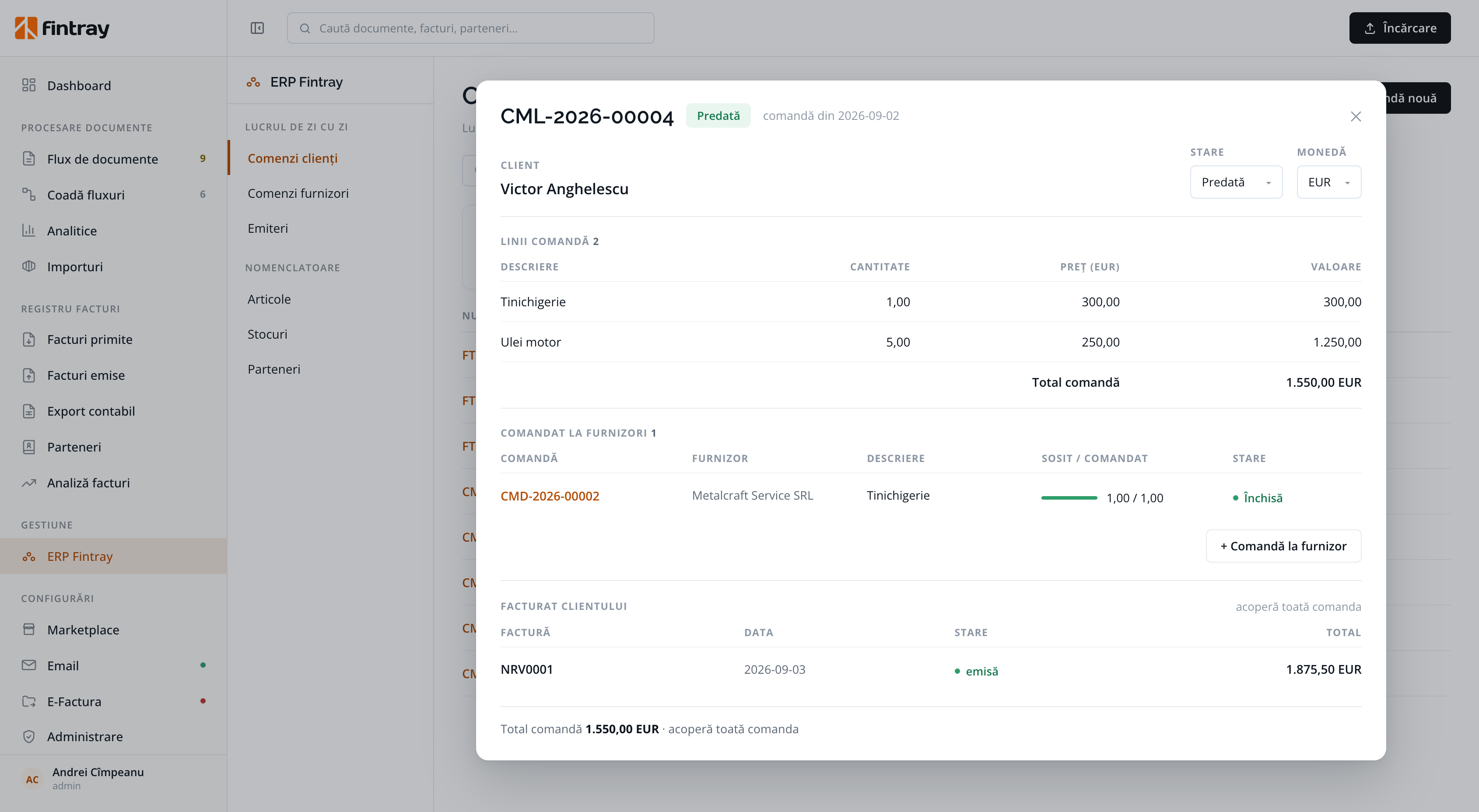
A customer order showing the whole flow: the order lines, the purchase orders, the quantities received, and the invoice issued to the customer.
DAY-TO-DAY WORK
From the customer order to the invoice, including the purchase orders needed for delivery.
What the customer asked for, line by line, in the order currency. The order state updates along with operations: open, delivered, closed.
What you ordered to cover the customer order, with the quantity received against the quantity ordered. These are the orders incoming invoices are matched to.
The invoice to the customer, issued from the order, with your own series and numbering. It goes straight into the register of issued invoices.
The master list invoice lines are matched against, with the codes you already use.
The stock available for each article, so you can see what still needs ordering.
Customers and suppliers, the same ones as in the invoice register. One list, kept up to date for the whole team.
ONE ORDER, THE WHOLE CHAIN
The order lines, the purchase order sent to the supplier for them, how much arrived, and the invoice that billed the customer. Without going through four screens and a spreadsheet to piece the story back together.
This is where the two halves of the product meet: an invoice received from Metalcraft Service matches the purchase order, and that same order says whether the delivery to the customer is covered.
OR YOUR OWN ERP
The built-in ERP is one of the options; it is not picked automatically. It is changed from a single screen, and all the data Fintray reads or updates goes through the active ERP.
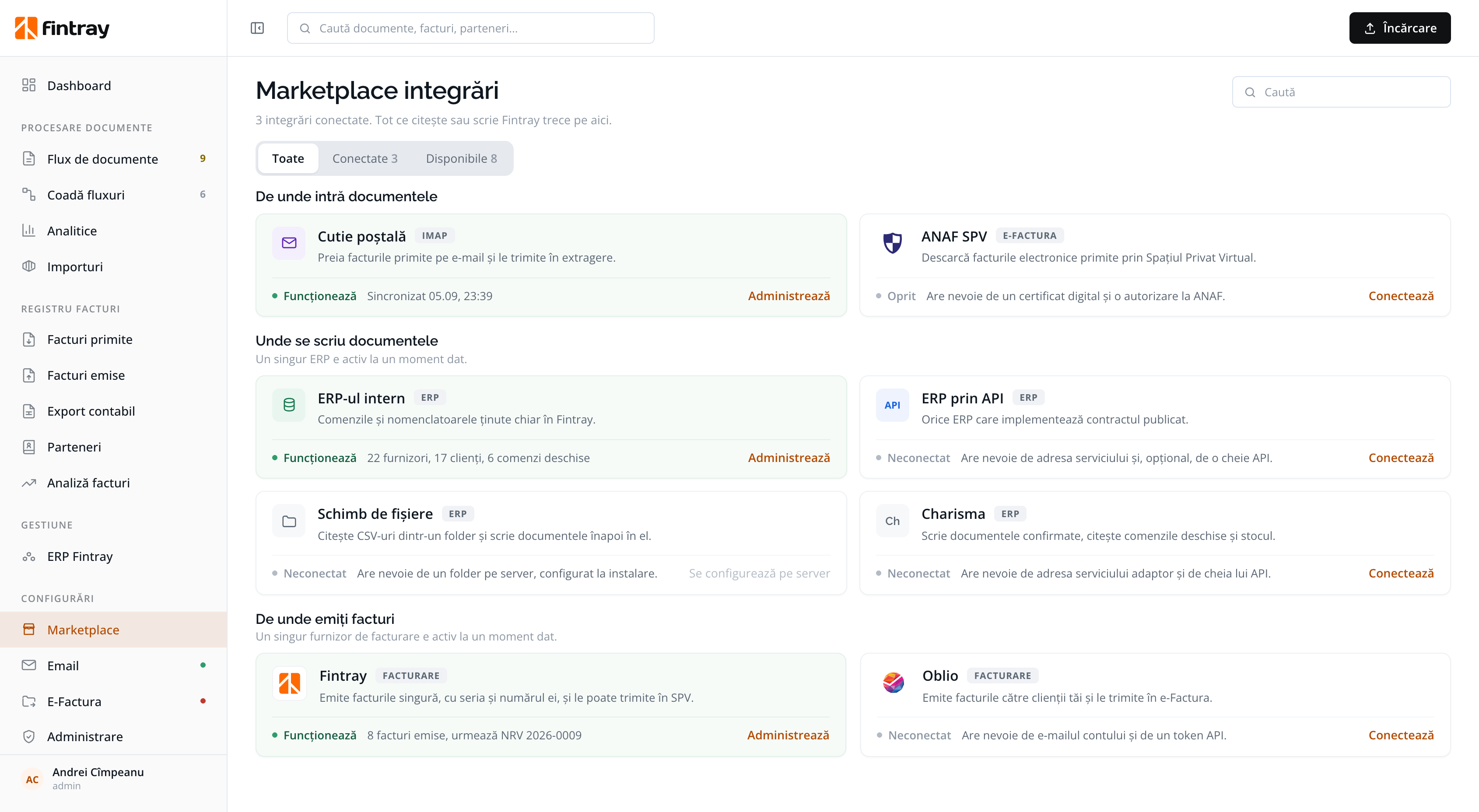
Any ERP that implements the published contract. Your provider can read the documentation and implement the integration, without depending on us.
For known ERPs: it writes confirmed documents and reads open orders and stock.
For an ERP with no interface at all: it reads CSVs from a folder and writes the documents back into it.
Start on the built-in ERP and move to your own when the integration is ready. Nothing in the flow waits for the integration.
The built-in ERP exists so that you are not blocked: if you have nowhere to match orders, you use ours and carry on. Fintray remains the link between your documents and the systems you run your company with, not an ERP trying to replace them.
In 60 minutes we map the invoices, decisions and bottlenecks in one real purchasing flow. Then we tell you whether Fintray connects to your ERP over API or by file, or whether it is simpler to start with the built-in module.
Schedule a demo