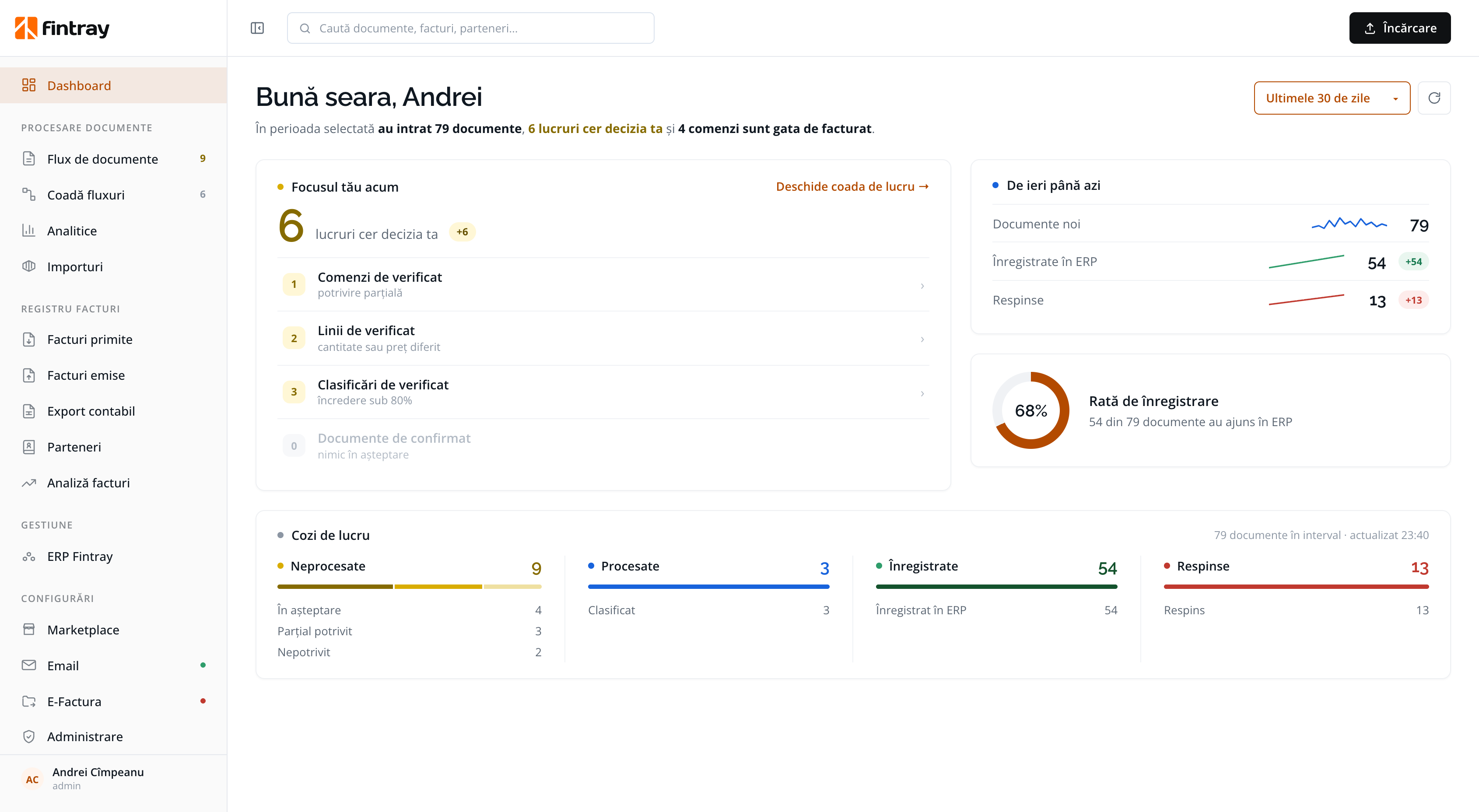
Invoices go into the ERP, checked against the order.
- →Invoices matched to orders, line by line
- →Employees' receipts, claimed from the phone
- →Export for your accountant, to Saga or WinMentor
Financial flow intelligence
Fintray collects your supplier invoices, extracts the data, matches it against your orders and sends the validated data into your ERP. Your team steps in only for the cases that need a decision.
Figures used for illustration only.

SOLUTIONS
Every document, however it arrives, goes through the same stages. What differs is where it ends up.
THE FINTRAY PLATFORM
Fintray connects your financial documents to the systems you run your company with. It reads, classifies, matches, explains and passes on confirmed data.

The mailbox dedicated to supplier invoices, RO e-Factura, an upload from the app, or the API. A document behaves the same however it got here.
Fintray identifies the supplier in your own partner list, reads every line, and matches it to the order being billed or to the right expense account.
Automatically validated documents move on, together with the rule that was applied. Unclear cases go to review, the only point where your team steps in.
The data lands in your ERP, in the export for accounting, in the registers and in the audit history, with the decision trail kept beside the record.
Email, e-invoicing, upload, API. One inbox instead of five places to look.
Supplier identified against your own partner list. Quantities, unit prices, VAT rates, article codes.
To the purchase order it bills against, or to the right ledger account.
With what the decision was based on, in one screen, ready to confirm or correct.
Registered in your ERP, exported for your accountant, filed in your registers.
ACROSS ALL FIVE Indicators: see what was automated, what needed a person, and why. From the data, not from assumptions.
THE TAX PROFILE
Zone, nature, reverse charge, rate, D390 code, VIES validity on the invoice date, foreign VAT charged by mistake, and the exchange rate for the right day.
42 rules kept in a table.
Not buried in code. Your accountant can read the whole table, and disagree with a row.
Every answer names its rule.
Each conclusion carries the rule that produced it and a sentence explaining why.
No invented answers.
If VIES or the exchange-rate service can't be reached, Fintray marks the information “not verified”, never “invalid”.
A proposal, not a final decision.
Fintray gives no tax advice. Cases the rules cannot settle go to human review.
MATCHING
The decision is taken per document, not for the whole supplier or channel. When you correct it, the correction is kept.
The right article, the quantity received, the price agreed.
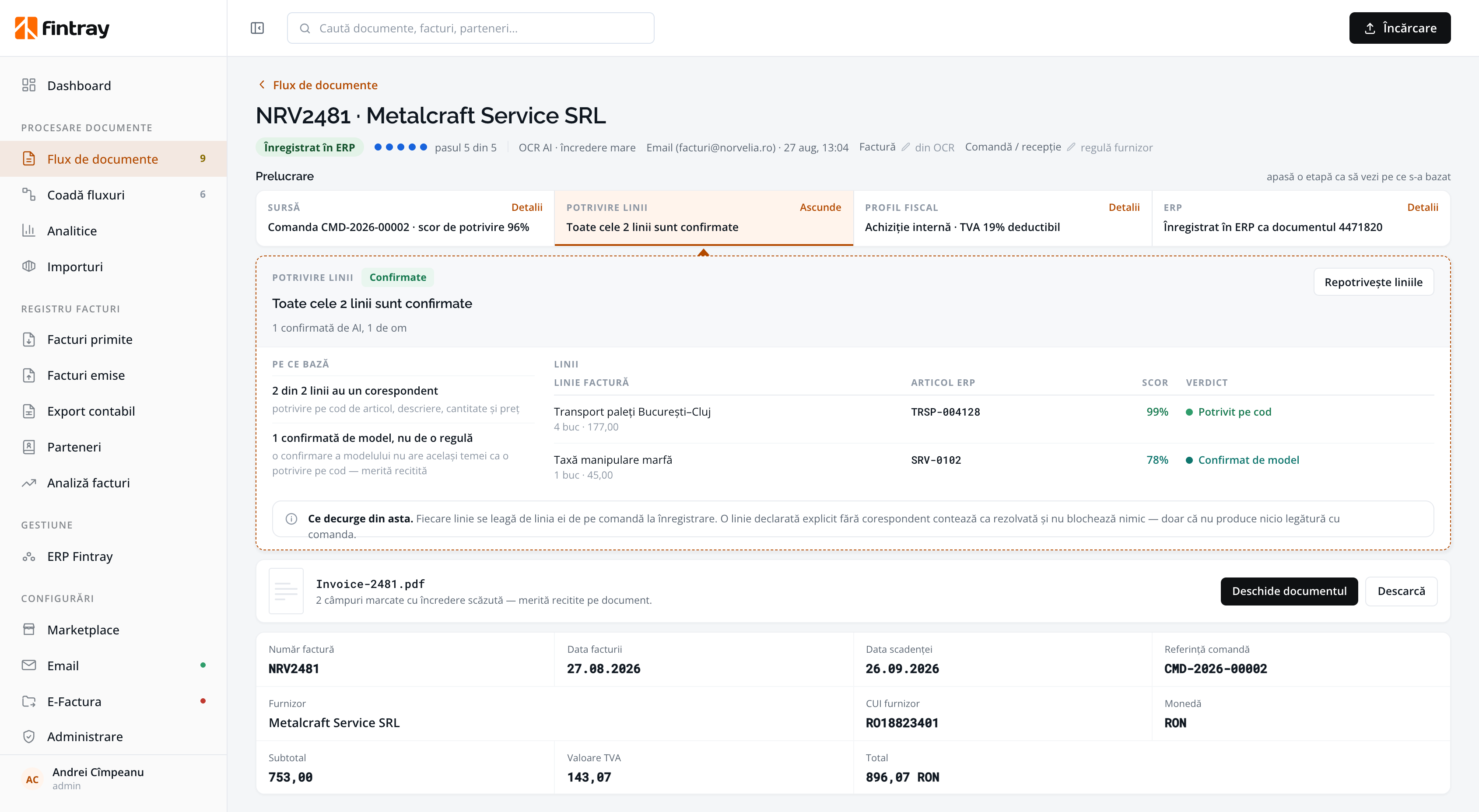
Two lines confirm themselves. The third is the only reason a person is looking at this document at all.
No order to match, so the lines go to the right ledger account, and the rule you confirm once is reused for that supplier.
Two copies of one document, handled by two people a week apart, stop at the same place.
RECEIPTS & EXPENSE REPORTS
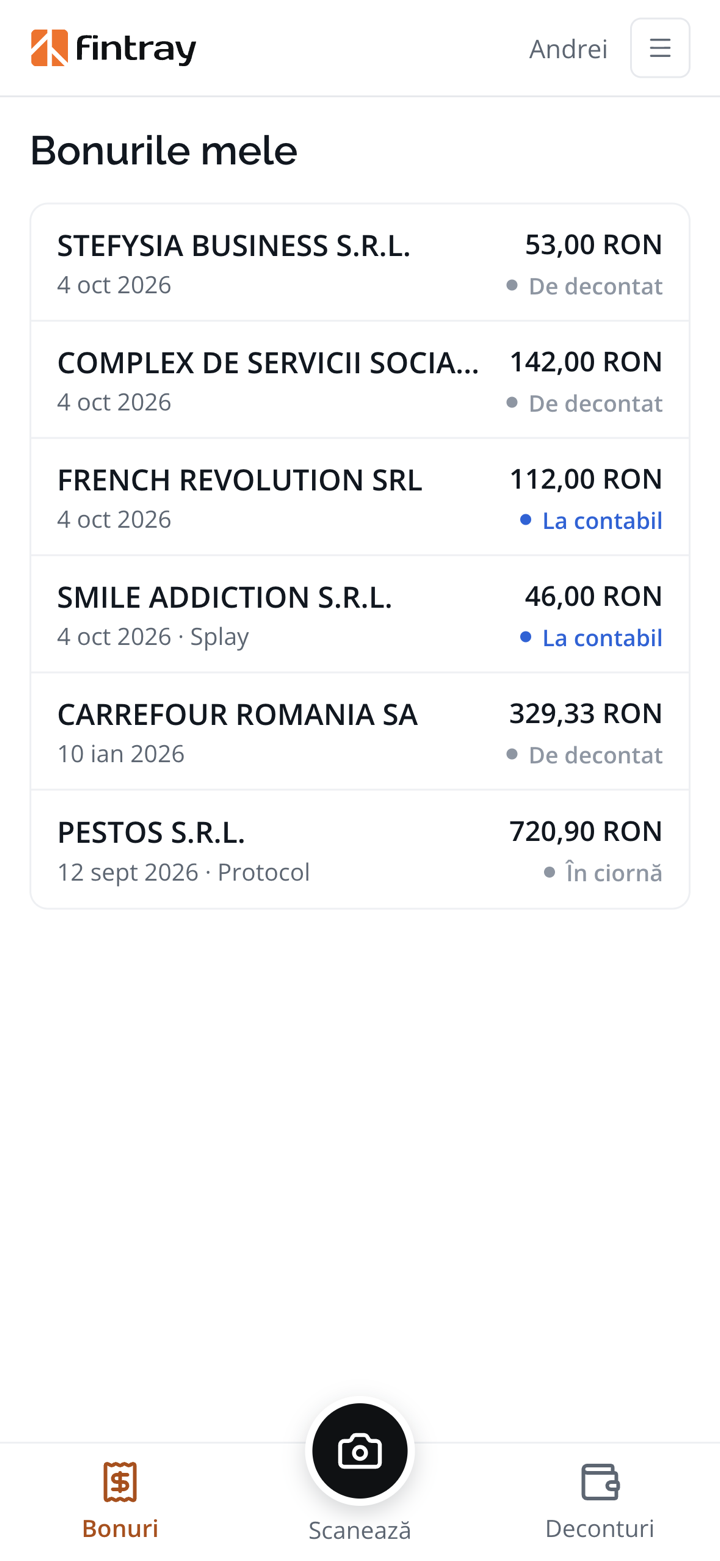
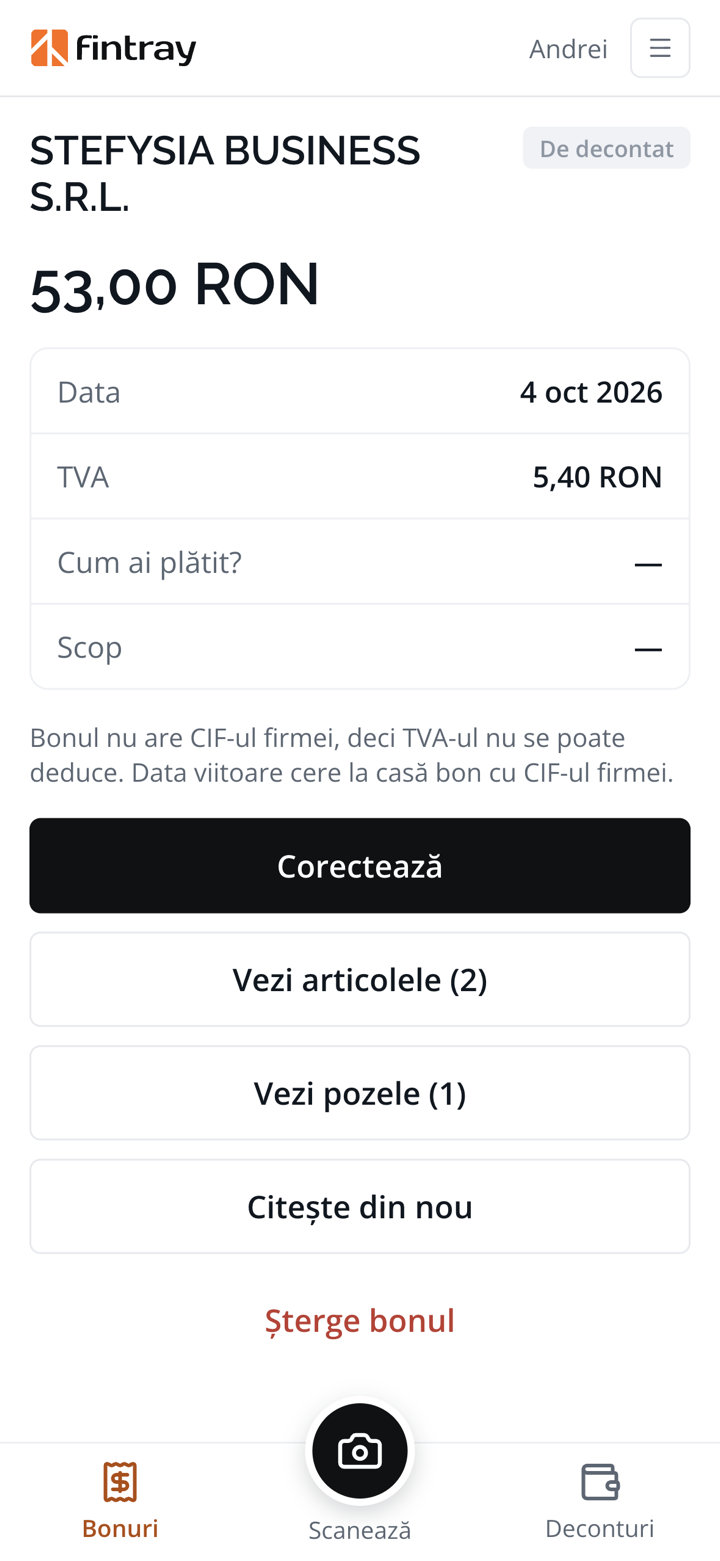
Employees take a photo of the receipt on the spot. Fintray reads it, puts it in an expense report and sends it to the accountant, already added up.
Nobody types in receipts any more. The shop, the products, the amount and the VAT are read from the photo.
VAT recovered wherever it can be. The employee sees on the spot whether the receipt carries the company's tax ID.
The report, ready to approve. With the advance worked out and the accounting note already drawn up.
CONTROL
Fintray handles the flow. You stay in control.
Every stage has a state meaning “waiting for a person”.
Which order was chosen and why, which candidates lost, which rule fired. Not just a score.
The one destructive action takes a reason from a fixed list, and confirms before acting.
Every extraction outcome is appended to a log that is never rewritten.
REGISTERS
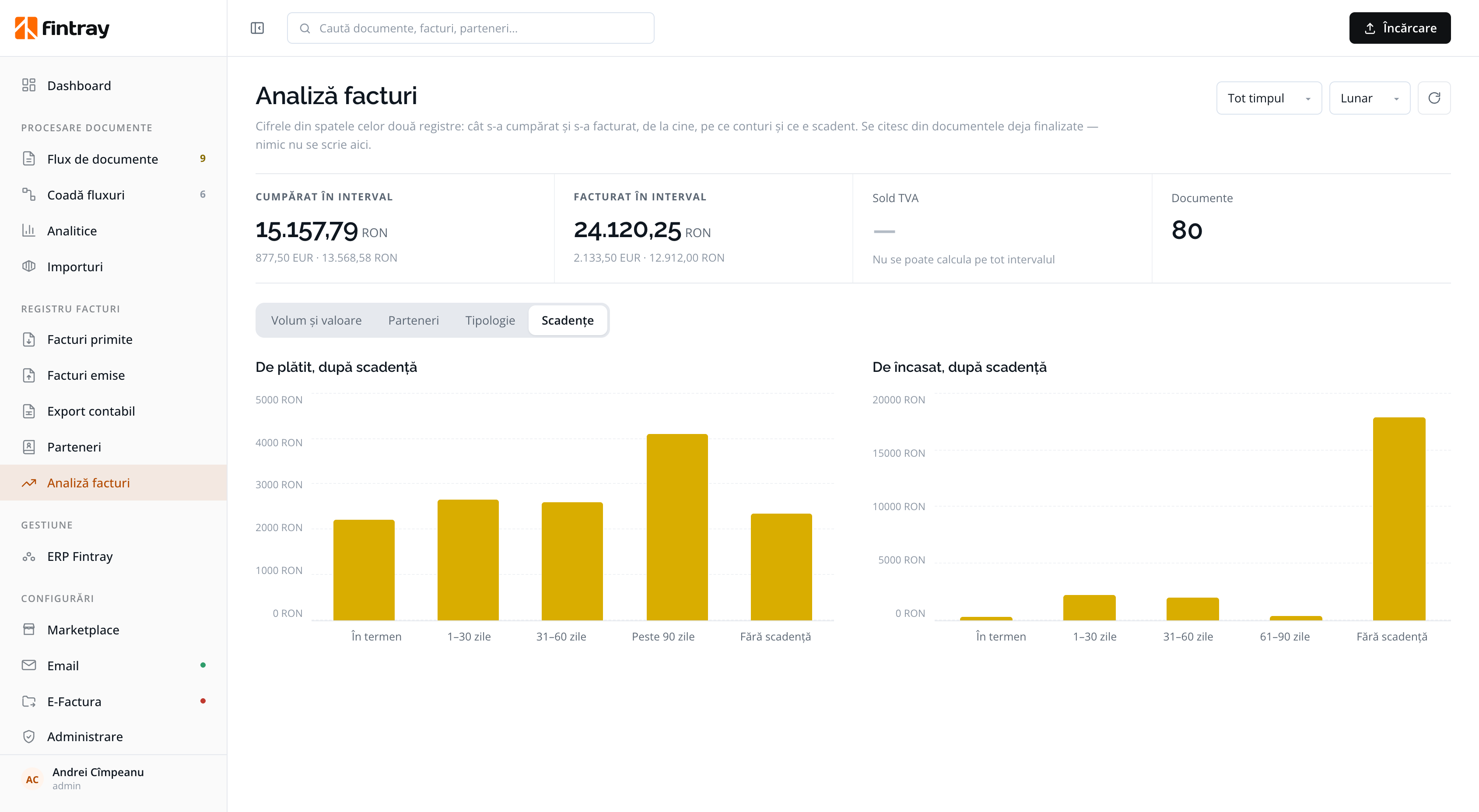
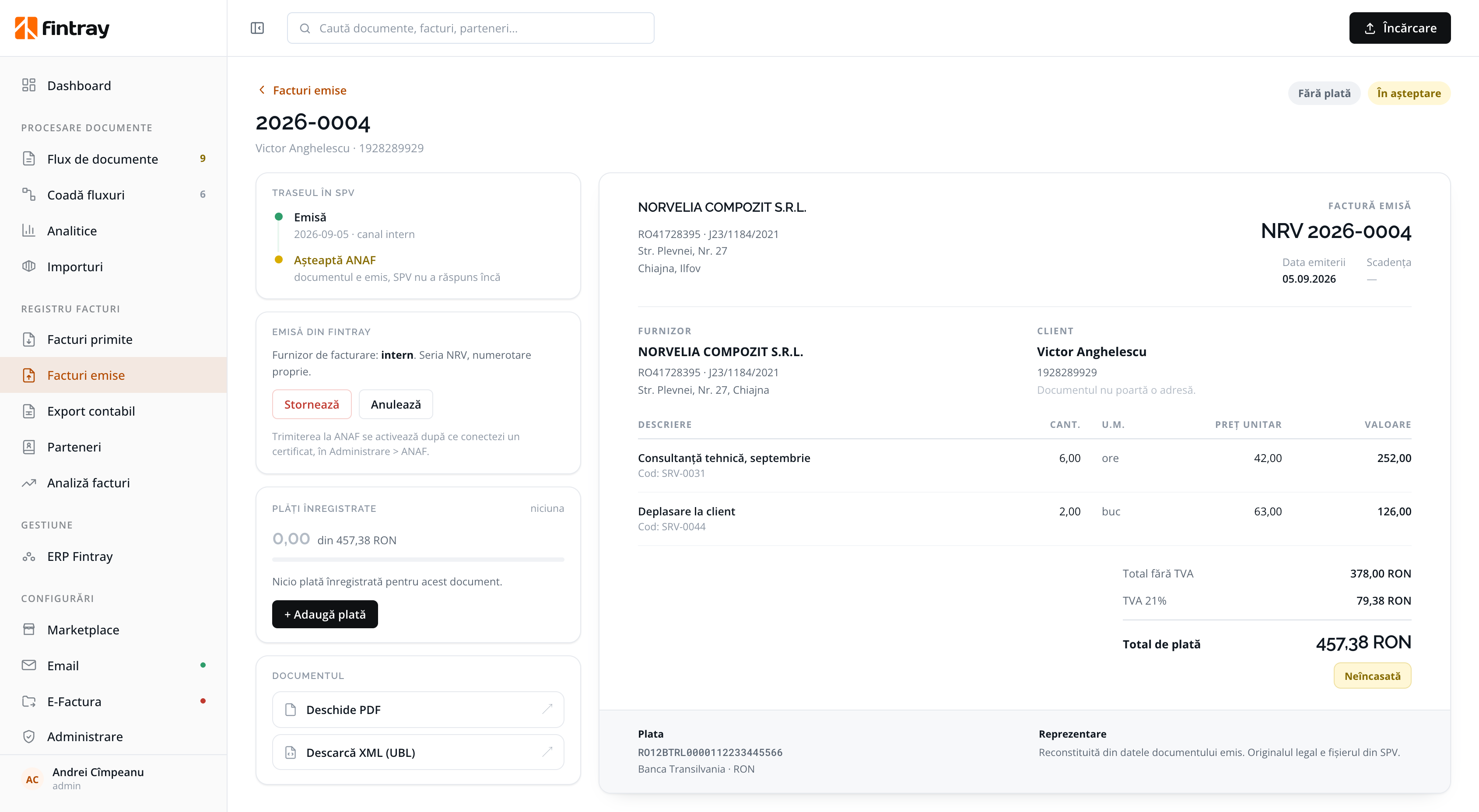
Documents in the SPV are available for a limited time. Keep them archived for as long as your legal obligations and internal procedures require. Received, issued and partners, with one search box across all three.
CONNECT
You start simply, and the reviewed data carries on into the system or the format your team already works in.
A direct database integration, a documented API for your provider, or a file exchange for an ERP with no interface. If you have no ERP, Fintray includes a core ERP module, so order matching still works.
Export the documents from a screen built for closing a month rather than reviewing a scanned document. Exports compatible with Saga and WinMentor from the start, with the original document alongside each record.
Fintray connects to national e-invoicing both ways, and shows what was taken from ANAF and when. Registers and audit in one place.
An accounting firm? Work for all your clients from a single account →
GETTING STARTED
Testing in parallel gives you certainty: nothing is switched off, and the decision to continue is made against your own documents.
If your question isn't here, write to us: we answer with what the product does today, not what it might do one day.
Every stage has a state that means “waiting for a person”. A low-confidence read never becomes a posted document on its own, and the queue is built around draining those cases.
You and your accountant. Fintray gives no tax advice: it proposes a treatment, names the rule behind it, and sends to review the cases the rules cannot settle.
No. Direct integration, a published web contract, or a file exchange, whichever your ERP allows. If the link goes down, reading and checking carry on.
Which order was chosen and why, which candidates lost, which rule fired, who confirmed it and when. Every extraction outcome is appended to a log that is never rewritten.
Fintray can run on our infrastructure in the European Union or on your own server, so that documents stay inside your network. Your documents are not used to train any model.
One month in parallel. Your team keeps working exactly as today, nothing depends on the new system, and the decision to continue is made against your own documents.
No. In a single account you see all your clients, and the Clients list shows what is left to do for each. A new client is added by tax ID, and each colleague sees only the companies you give them.
With your own certificate and the authorisations you already hold at ANAF. You connect once, and Fintray downloads each client's received and issued invoices.