Everything lands here
The mailbox is watched in real time, not checked now and then. One inbox instead of five places to look.
DOCUMENT PROCESSING
Your team steps in only at the fourth stage, and sees what each decision rests on. The rest of the process runs automatically and leaves a history that is easy to follow.
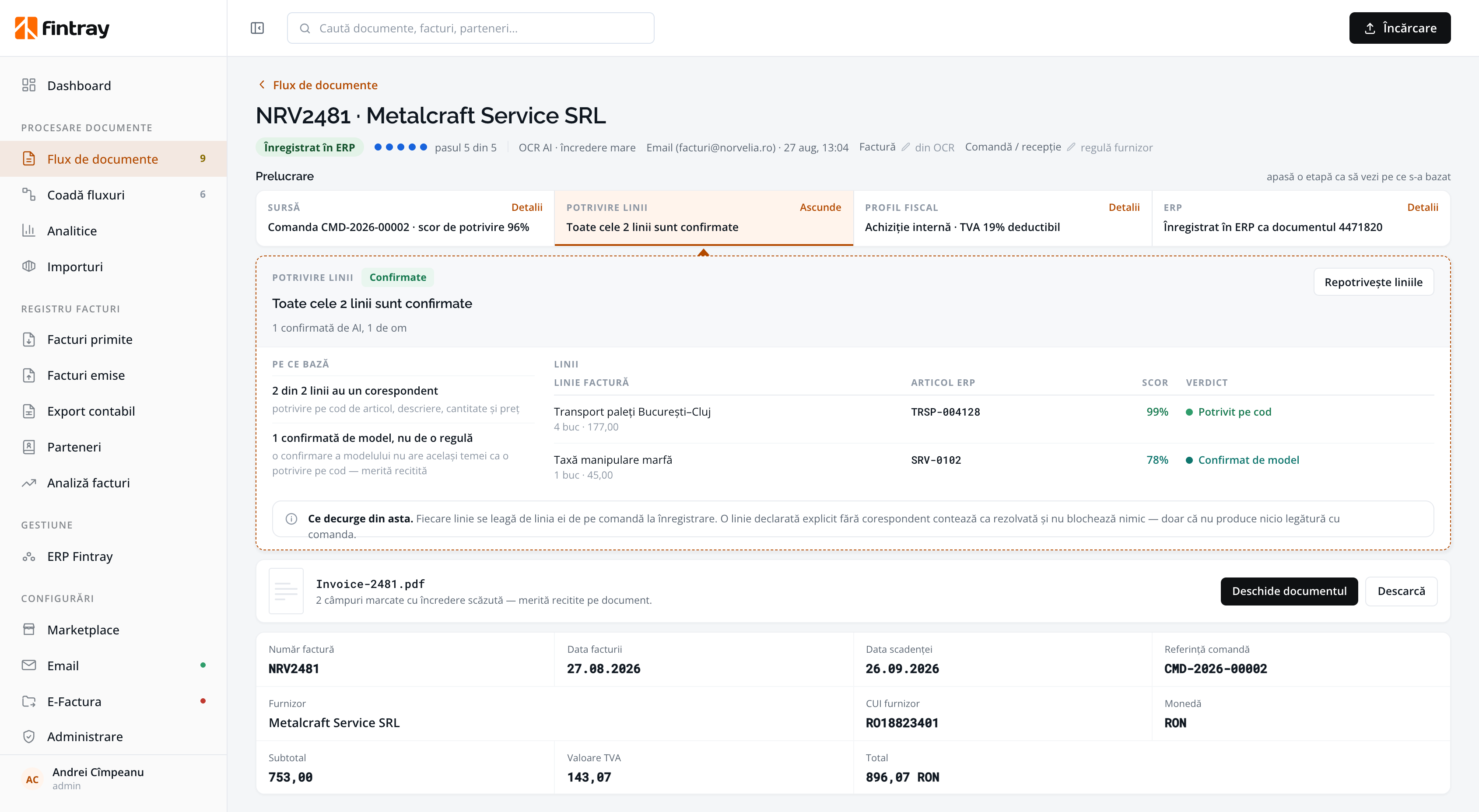
A processed document: the five stages, the basis of the match, the link between the invoice lines and the ERP articles, the matching score, and the lines a person confirmed.
The same path for every document, however it arrived: mailbox, e-invoicing, upload, phone or API.
The mailbox is watched in real time, not checked now and then. One inbox instead of five places to look.
It identifies the supplier, the dates, the amounts, the VAT rates, the lines and the real type of the document.
To the order it bills against, line by line, or to the right expense account.
Exceptions arrive in a single screen, with everything the decision was based on.
The document is registered in your ERP, exported for accounting and kept in the registers.
THE SIXTH Indicators: see what was automated, what needed a person, and why.
UNDERSTANDING
Extraction is the first step, not the product. The hard part sits between extraction and the ERP.
The supplier is identified against your own partner list, not guessed from the letterhead.
Quantities, unit prices, VAT rates and the supplier's own article codes.
If the line total does not match the document subtotal, the read is marked uncertain and does not move on by itself.
Once you decide how a supplier is treated, the next invoice follows the same decision and shows the rule it applied.
ONE SCAN. FOUR DOCUMENTS.
A single PDF received from the driver can hold two delivery notes, the invoice that bills them and a transport document. Fintray separates them and processes them as distinct documents, instead of registering a four-page invoice that cannot be reconciled.
REVIEW
Routine documents flow straight through. The unclear cases don't hide in an inbox: they appear in a list the team can work through one by one.
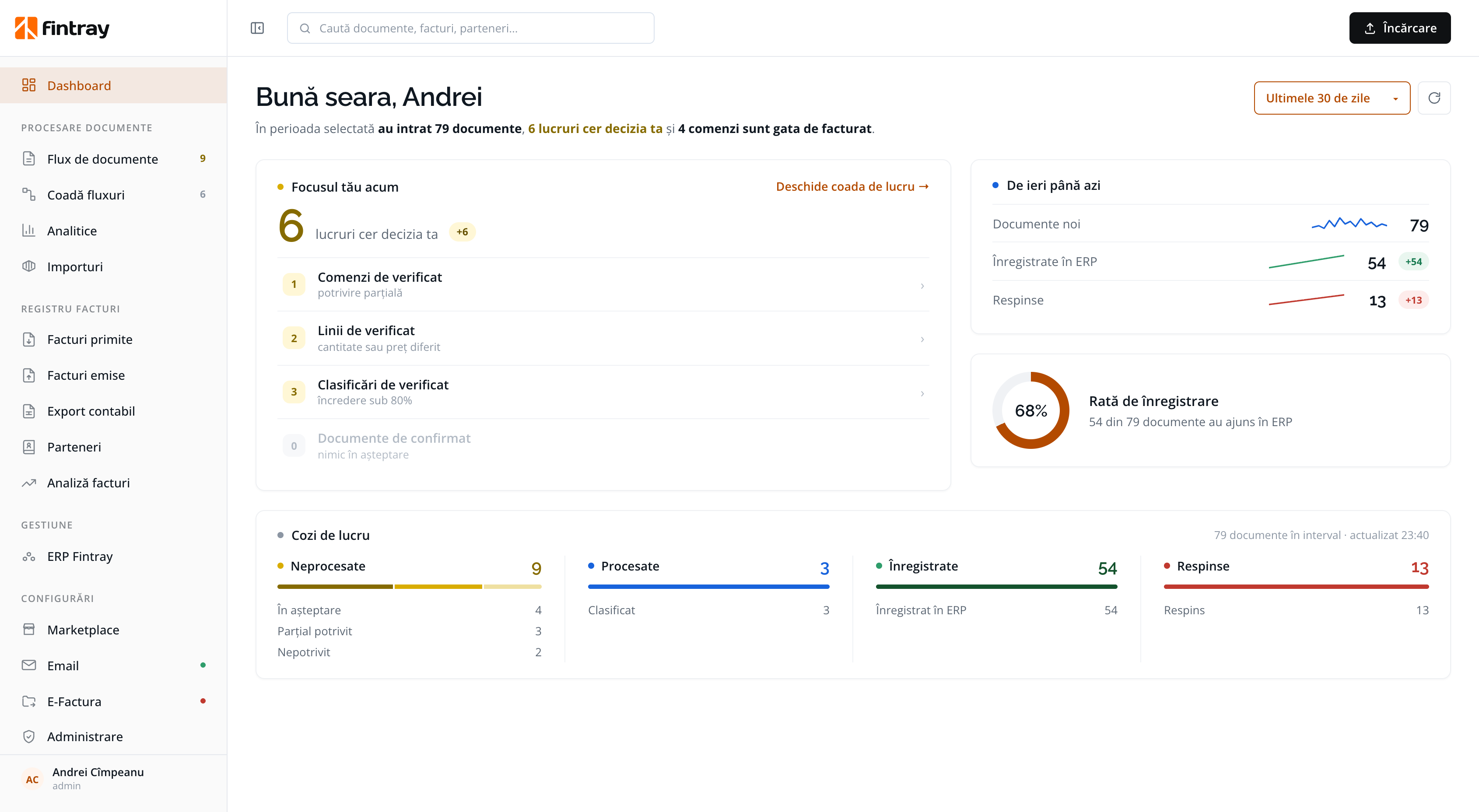
Waiting, partially matched, unmatched. Each state says why it stopped.
Read and classified, ready to register or export.
Landed in the ERP, with the ERP document number beside them.
The one destructive action takes a reason from a fixed list, and confirms before acting.
THE TAX PROFILE
Zone, nature, reverse charge, rate, D390 code, VIES validity on the invoice date, foreign VAT charged by mistake, and the exchange rate for the right day. Fintray answers all of them, with the rule in plain sight.
42 rules kept in a table. Your accountant can read the whole table, and disagree with a row.
Checked on every run, with no frozen results. If you change a rule, Fintray re-evaluates the affected documents at once.
A proposal, not a final decision. Fintray gives no tax advice. Cases the rules cannot settle are marked “needs human review”.
You can gather ten or twenty real documents: the messy ones, the phone photos, the scanned document that contains four documents, the German invoice that is hard to classify for tax, or invoices from the SPV. We'll run them together in a demo and show you what came out, line by line, including what Fintray got wrong.
Schedule a demo