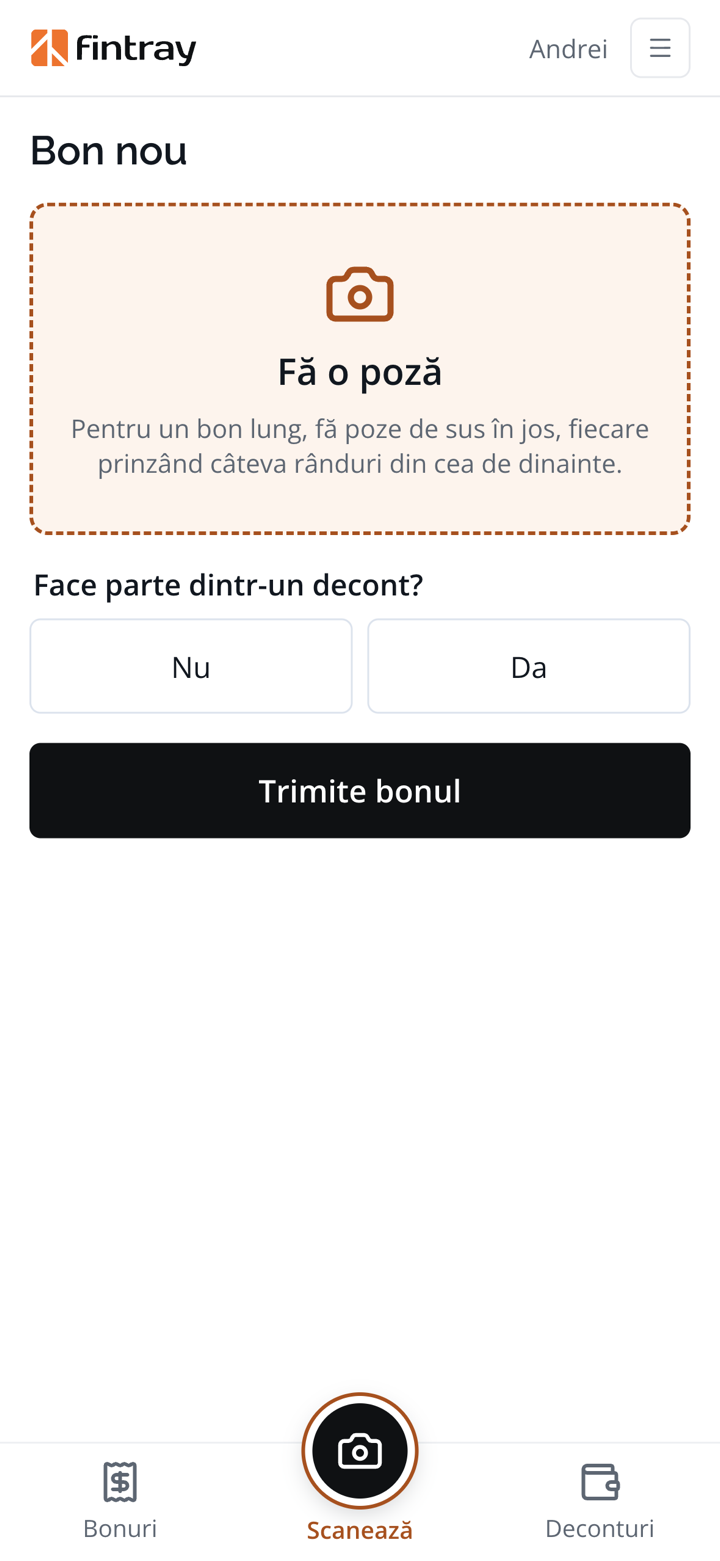
A photo at the till
Straight from the app, on the spot. A long receipt is caught in several photos, top to bottom.
RECEIPTS & EXPENSE REPORTS
Employees take a photo of the receipt on the spot. Fintray reads it, puts it in an expense report and sends it to the accountant, already added up.
The phone app: a new receipt, the list of receipts and a receipt that has been read. It goes on the phone's home screen straight from the browser, with no app store.
The employee takes two of them, the accountant one. Fintray takes the second.
Straight from the app, on the spot. A long receipt is caught in several photos, top to bottom.
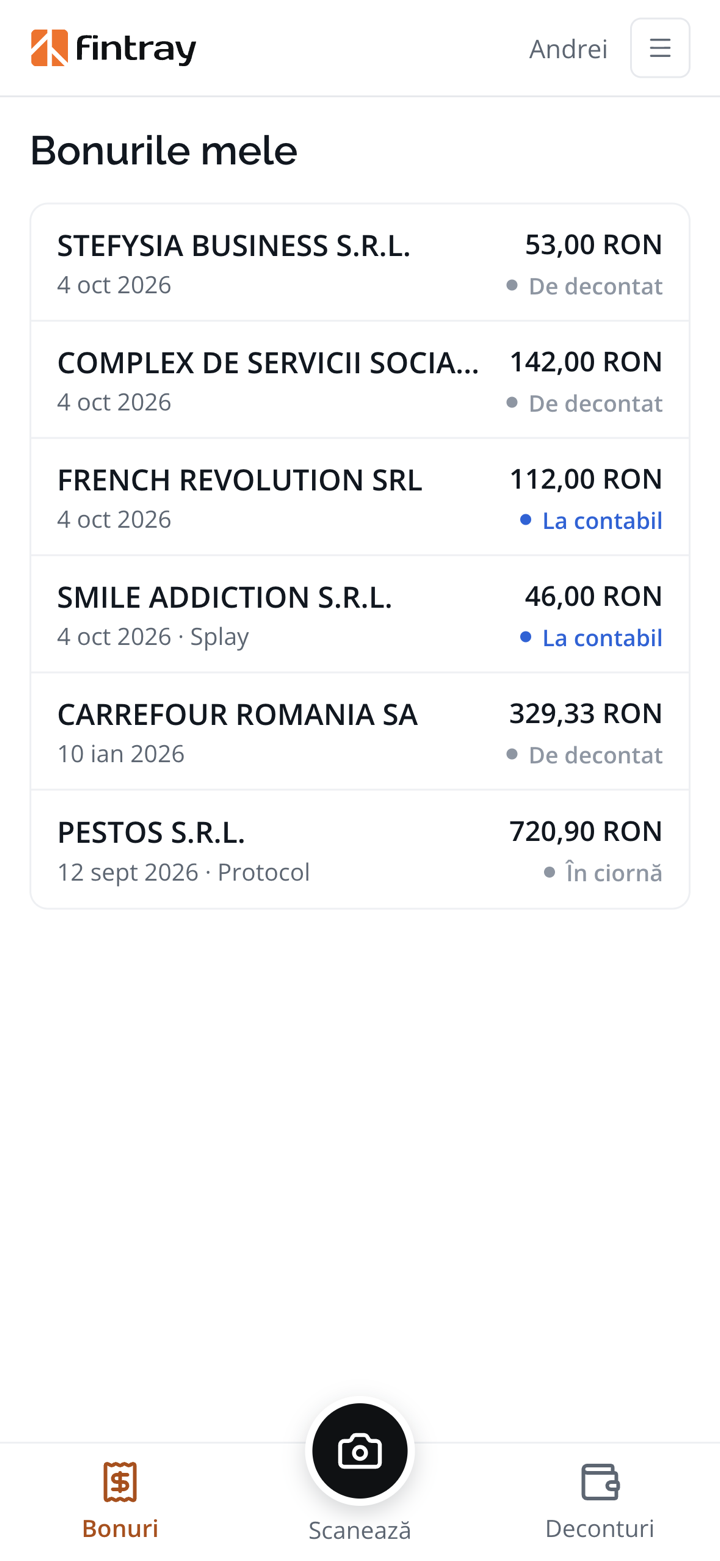
Who sold it, what, how much and how much VAT. Moments later the receipt shows up in the list, with its amount.
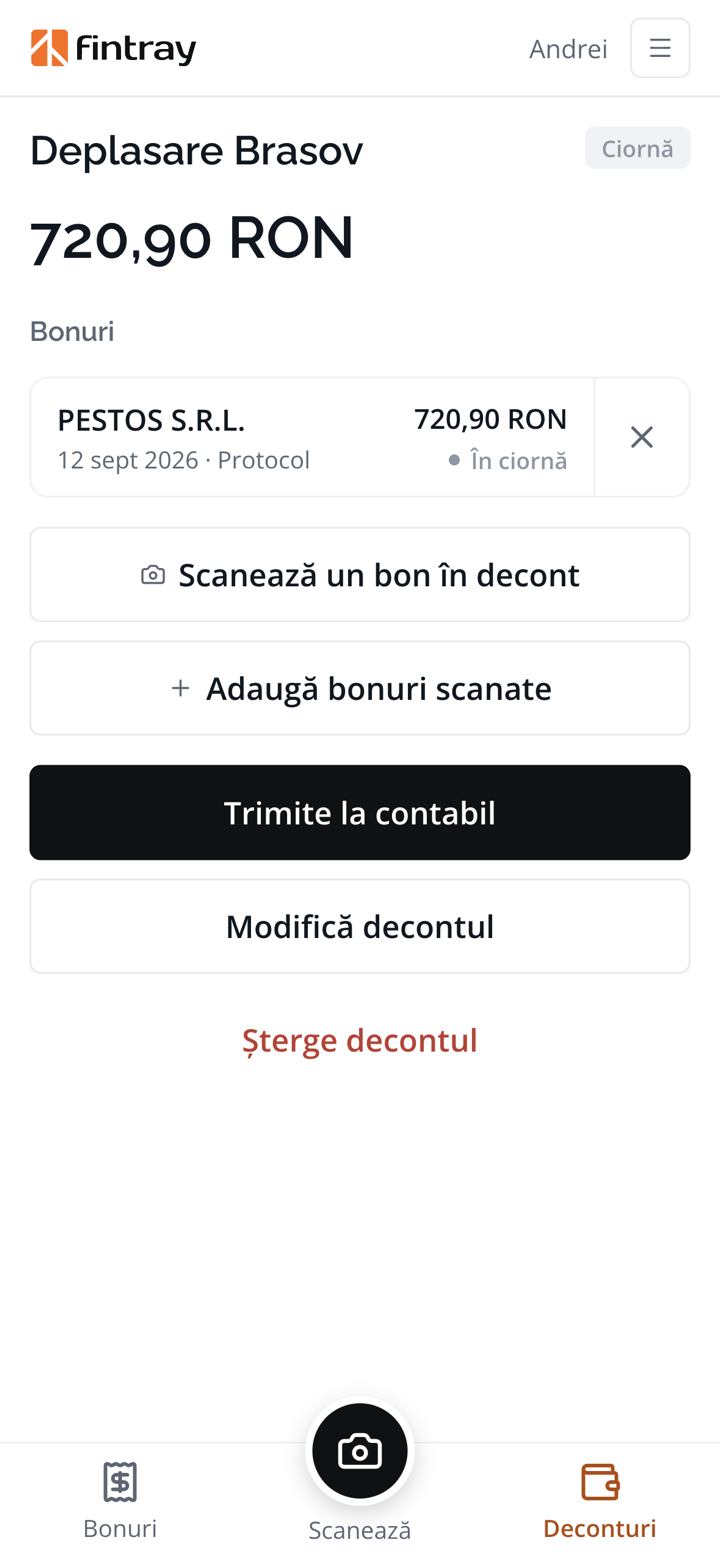
Gathers the receipts into an expense report, says how each one was paid and sends it to the accountant.
Gets the report already added up, with the accounting note already drawn up.
WHAT IT LEARNS FROM THE RECEIPT
Nobody types in receipts any more. The employee sees on the phone what Fintray read, and can correct it on the spot if something is off.
Who sold it. The shop's name and tax ID. The name is confirmed against the public ANAF register, so a misread does not stick.
What was bought. Every product on the receipt, with its quantity and price.
How much VAT, at each rate. The rate is read off the receipt, not assumed.
Whether the amounts add up. A receipt whose amounts do not add up is flagged, so it can be corrected or read again.
The same receipt, twice. A receipt photographed a second time is recognised, and cannot be claimed twice.
VAT
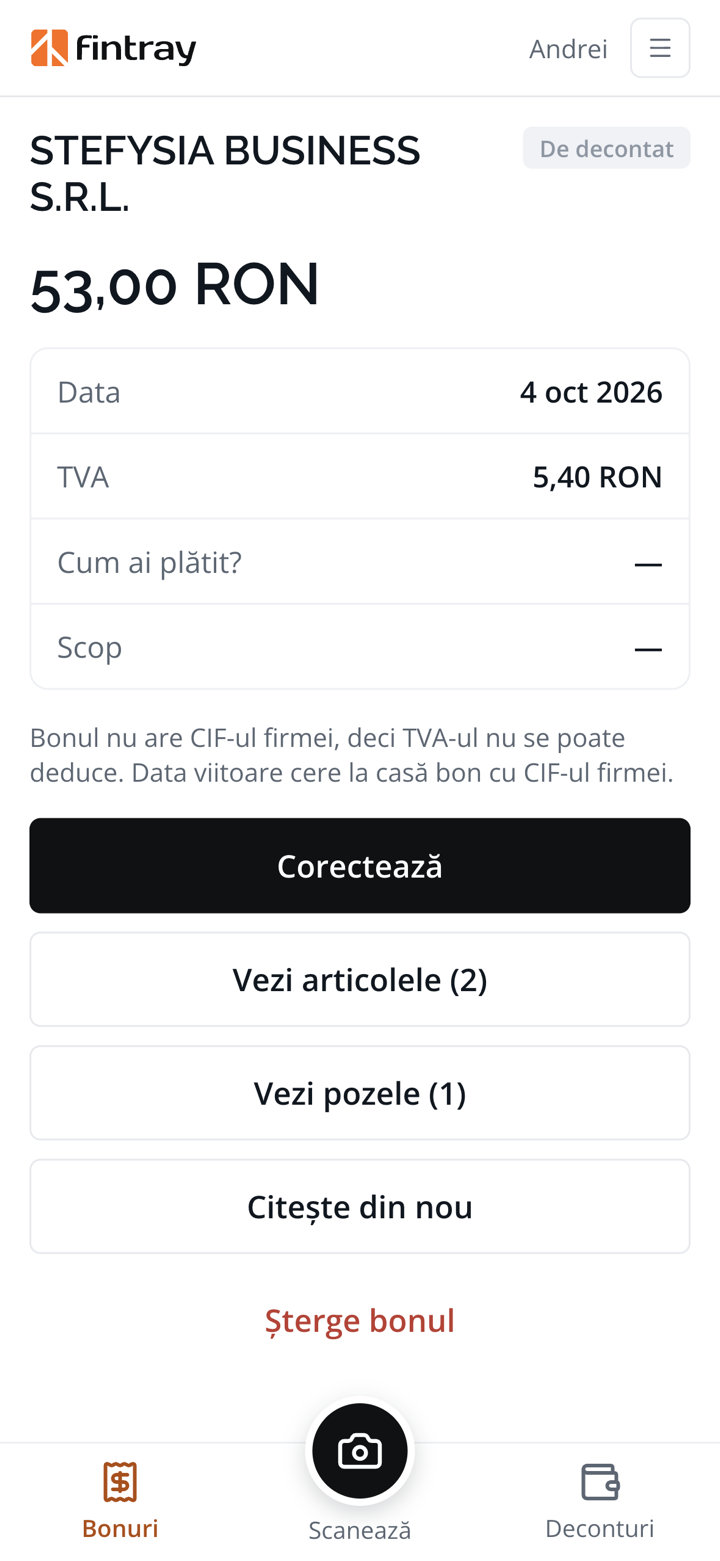
On every receipt, Fintray checks whether your company's tax ID is printed on it, and treats the VAT accordingly.
The receipt stands in for a simplified invoice. Its VAT is kept apart from the expense, so you can deduct it.
The expense can still be claimed, but the VAT can no longer be recovered and is added to its value.
“This receipt doesn't carry the company's tax ID, so its VAT can't be deducted. Next time, ask at the till for a receipt with the company's tax ID.”
THE EXPENSE REPORT
The report is opened empty and fills up along the way, with every receipt scanned. On the way back, there is one button left to press.
With the company card, out of your own pocket or from an advance. Chosen for each receipt.
Enter the advance you received, and Fintray shows how much you have to return or how much you are still owed.
Taxi, fuel, lodging, meals, client entertainment: a list of purposes you set yourselves.
The report reaches the accountant only once every receipt has been read and has its payment chosen.
FOR THE ACCOUNTANT
All the employees' expense reports sit in a single screen, waiting for approval. The accountant no longer adds up receipts or hunts for the VAT on them.
A rejected report goes back to the employee with the reason, to be corrected and sent again.
Every receipt has its expense and its VAT in the right place. The note downloads as a file, on approval.
Approval stops if a receipt appears twice, or if something has not been read.
The expense report prints with room for signatures. Nobody can approve their own report.
Long ones, crumpled ones, with and without the company's tax ID. We'll photograph them together and show you the expense report that comes out of them, accounting note included, along with whatever Fintray did not read well.
Schedule a demo